


Summary
- Google Meet can now use Gemini to transcribe, summarize, and create action items from in-person meetings without starting a video call.
- The feature automatically turns meeting notes into Google Docs and stores them in Google Drive, making it especially convenient for Google Workspace users.
- Google's built-in approach reduces the need for third-party AI meeting assistants such as Otter or Fireflies, though an eligible Workspace or Google AI plan is required.
In July 2026, Google expanded Gemini’s meeting notes to individual AI Pro and Ultra subscribers, and now, it’s expanding the feature beyond video calls. With the latest update, you can finally take notes during in-person meetings without starting or joining a video call at all.
Google’s official blog explains that you can simply leave your phone or laptop nearby, select the “Take Notes” button from the Meet app, and Gemini will create a transcript, summary, and action items from a face-to-face conversation. For optimal accuracy and contextual understanding, Google recommends using this feature for meetings that last at least 15 minutes.
For now, the in-person note-taking feature is available on Android and the web, with the iOS version scheduled for release by the end of August.
Google Meet has one big advantage over other AI note-takers
Native integration makes it an easier choice if you already use Google Drive
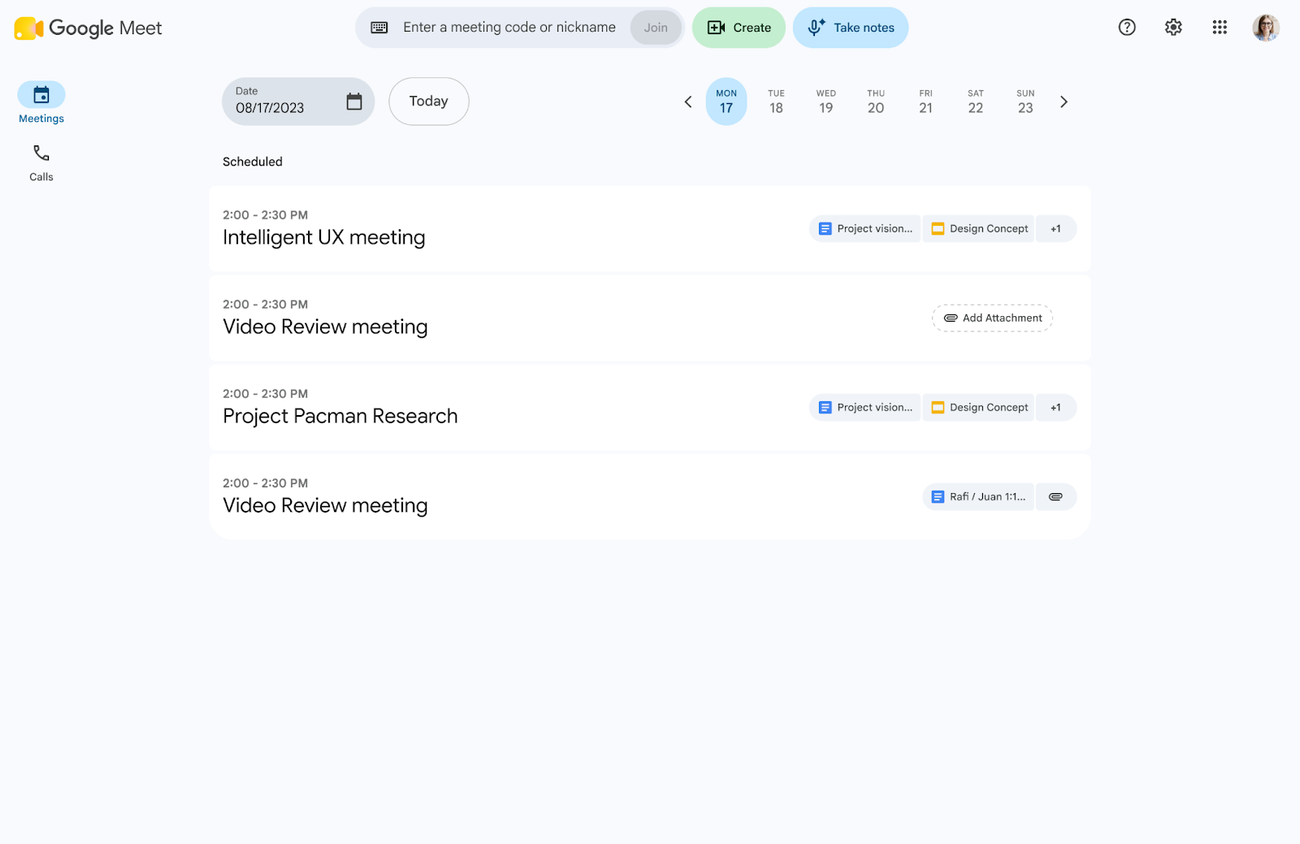
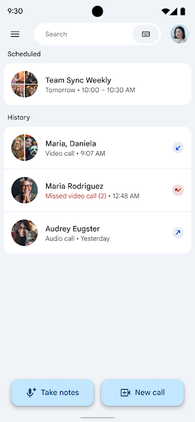


 Credit: Google
 Credit: Google

Google Meet is far from the first service that can listen to conversations and create documents accordingly. There are already plenty of AI tools that can generate meeting notes, including platforms like Otter and Fireflies. However, Meet’s native integration with other Google services and platforms makes this AI note-taking feature stand out.
You will need an eligible Google Workspace plan or a Google AI subscription. The tiers with this feature available include:
Business: Business Standard and Plus
Enterprise: Enterprise Standard and Plus
Consumer: Google AI Pro and Ultra
Other Editions: Frontline Plus
Education Add-ons: Google AI Pro for Education
If you or your company already relies on Google Drive to store documents, Meet can remove much of the busywork surrounding AI note-taking. Once you stop recording the session, Google Meet automatically turns the notes into Google Docs files and stores them in your Drive. While there are other note-taking services that can integrate with Google Workspace as well, having Meet do the work for you without relying on third-party platforms creates a much smoother experience.
That could also address some of the annoyances surrounding third-party meeting assistants. We've previously covered why having AI bots join online meetings can become frustrating. With Meet, the note-taker is already part of a service your company may be using for meetings, calendars, documents, and storage anyway.